Animate your child's drawing with AI
Watch it move on paper with Living Pages.
Turn an original drawing into a short AI animation, then point your phone or tablet at the paper to watch it move. Made for adults and parents.
Free to download · try the guided sample without spending credits · no subscription
From paper to motion
Keep a favourite drawing on the fridge, and watch it move whenever you point your phone at it.
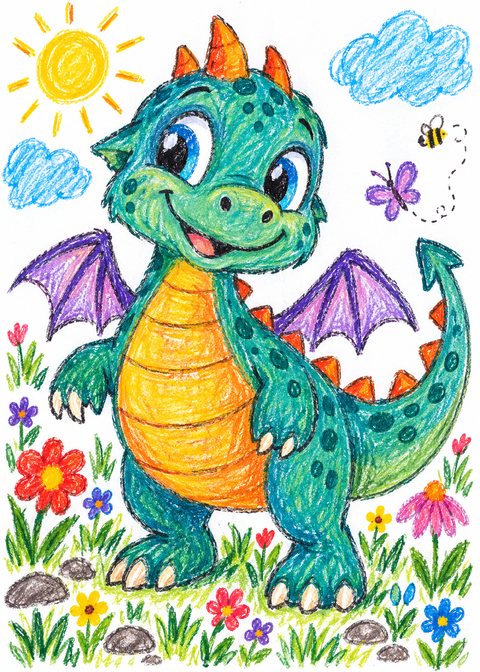
Snap the drawing
Photograph a flat drawing on paper. The app finds the page edges for you.
AI animates it
Choose 5, 10 or 15 seconds. You see the credit cost before anything is created.
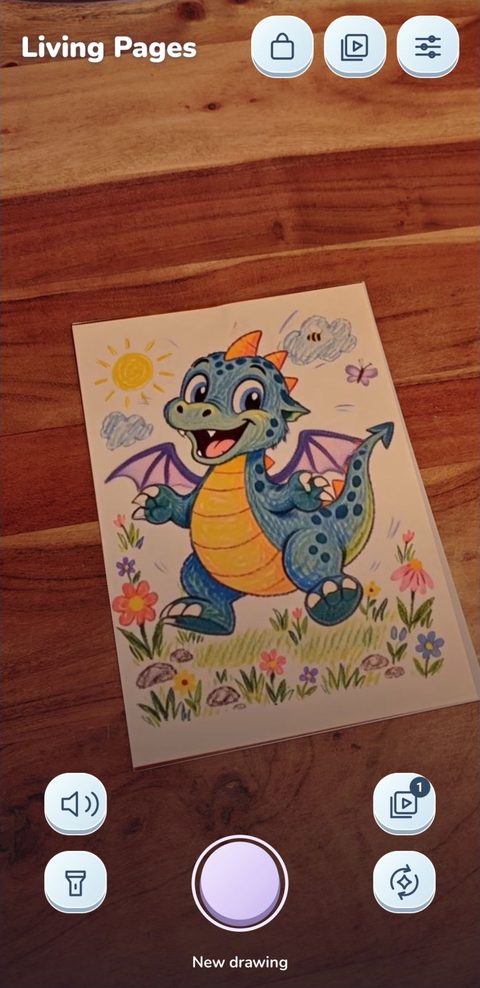
Watch it on the paper
Point your phone at the drawing and the animation plays right on the page. Replays are free.
Sample artwork made for this demo, shown with its real Living Pages animation and camera view. Results vary by drawing.
Simple pricing
- No subscription. Buy a pack of 5, 15, 40 or 85 credits once.
- Credits never expire. Use them whenever a new drawing is ready.
- 1 credit = one 5-second animation in Standard quality. Longer or sharper animations cost more, and the cost is always shown before you confirm.
- Replays are free. Watching a saved animation or reusing it on another drawing costs nothing.
- Failed animations are refunded automatically.
Google Play shows pack prices in your local currency. Creating your own animation needs internet access, a signed-in account with the current terms accepted and enough credits. Get help.
Private by design
- Your Gallery stays on your phone. No public feed, profiles or chat.
- No ads, and we don’t sell personal information.
- We don’t train our own AI models on your drawings.
- You choose what is sent. Only the drawing you approve for animation leaves your phone.
- Made for adults and parents. Your child draws; you scan, review and share.
Frequently asked questions
Which drawings work best?
Use an original, detailed drawing on flat paper in even light. Keep all four corners visible and avoid glare or heavy shadows when you photograph it. Results vary by drawing.
Is it safe for kids' art?
Living Pages is for adults and parents to manage. You choose which drawing to send for animation and review the result before showing it to a child. There are no ads or public feed. Read the app privacy policy.
How much does it cost?
The Android app is free to download, and its guided sample uses no credits. Creating your own animation uses credits from a one-time pack. The cost is shown before you confirm; there is no subscription, credits do not expire, and saved replays are free.
Does Living Pages work on iPhone?
Not yet. Living Pages is available on Google Play for Android; the iPhone app is coming soon.
Want launch news?
Join the list for launch updates, including iOS availability.
Latest from Studio Kostov
Demos and experiments from Studio Kostov.
Loading connects to TikTok. Scroll through recent posts, or watch, like and follow on TikTok.